Cordless Air Duster: Fast Dust Removal for Electronics
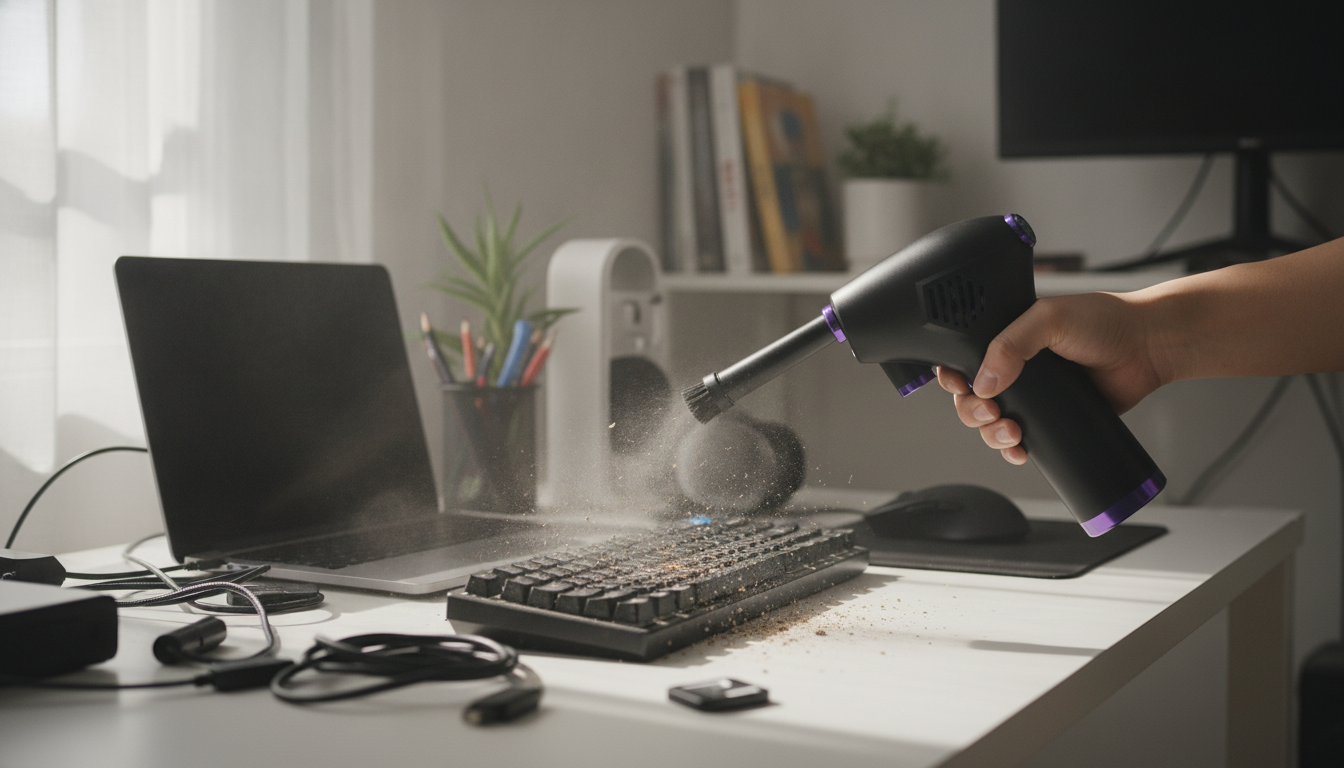
Powerful Cordless Air Duster for Electronics, Keyboards, and Home Detailing
A cordless air duster makes it easier to clear dust from tight spaces without disposable cans. Instead of buying refills and hoping a can doesn’t sputter halfway through a job, you can keep a rechargeable duster ready for quick cleanups around computers, gaming gear, and everyday household trouble spots. Below is a practical guide to what a cordless air duster does best, which features actually affect cleaning power, and how to use one safely around electronics.
What a Cordless Air Duster Does (and Where It Helps Most)
A cordless air duster blows concentrated air that lifts and pushes away dust from crevices that cloths and many vacuums can’t reach. It’s especially useful when you need airflow to “unpack” debris from gaps, corners, grilles, and textured surfaces.
- Common use cases: keyboards and desk setups, PC intake/exhaust vents, game consoles, camera bags, car interiors (vents and seat rails), blinds, small appliances, and workshop tools.
- Technique matters: use short bursts and work from the cleanest area outward so loosened dust doesn’t resettle.
- Stay gentle on delicate items: increase distance and avoid aiming in a way that forces debris deeper into ports, switches, or seams.
Key Features That Matter for Real Cleaning Power
Not all cordless dusters feel the same in real-world use. The difference usually comes down to airflow control, attachments, runtime, and how comfortable the tool is when you’re cleaning for more than a minute or two.
- Airflow and pressure: stronger airflow clears stuck dust faster. Adjustable speeds help you avoid overblowing delicate components and keep you in control.
- Nozzles and attachments: narrow tips help with keyboards, ports, and seams; wider tips move dust across vents and larger surfaces. Brush attachments can help pull lint out of textured areas while airflow lifts it.
- Battery and charging: look for enough runtime to handle multiple quick sessions (desk, PC vents, and a few household spots) plus convenient charging for fast top-ups.
- Build and ergonomics: a stable grip, easy-to-reach controls, and balanced weight reduce hand fatigue during longer detailing sessions.
- Noise and heat management: powerful blowers can be loud. Controlled, short bursts reduce heat buildup and keep handling comfortable.
Cordless Air Duster vs Disposable Canned Air
| Feature | Cordless Air Duster | Disposable Canned Air |
|---|---|---|
| Ongoing cost | Reusable; no refills needed | Repeated purchases over time |
| Performance consistency | Steady airflow when charged | Can drop off as the can cools/empties |
| Moisture risk | No propellant; airflow only | Propellant can spray if tilted or used improperly |
| Convenience | Charge and reuse anytime | Need spares on hand; can run out mid-task |
| Waste | Less disposable waste | Empty cans to dispose/recycle |
Best Uses Around Computers and Gaming Setups
Dust buildup can restrict airflow through vents and filters, which makes fans work harder and can lead to hotter, noisier devices. For safe handling around powered equipment, follow basic electrical safety practices like powering down and unplugging before cleaning (OSHA’s electrical safety resources are a helpful reference: https://www.osha.gov/electrical).
- PC cases: shut down and unplug. Hold fans in place while cleaning so they don’t overspin. Aim so dust exits through vents rather than being driven deeper into the case.
- Keyboards: if you need a deeper clean, remove keycaps first. Use a narrow nozzle and angle airflow so debris shoots outward instead of bouncing between switches.
- Consoles and routers: focus on intake/exhaust grilles and ports. Keep the nozzle slightly back to avoid forcing dust further inside.
- Monitors and laptops: avoid blasting directly into speaker holes and delicate seams. Use gentle bursts, then wipe remaining dust with a microfiber cloth.
If you also maintain HVAC filters at home, keeping them clean can reduce how quickly fine dust circulates and settles on electronics. ENERGY STAR offers practical guidance on air filters here: https://www.energystar.gov/products/heating_cooling/air_filters.
Home and Car Detailing Ideas That Save Time
Once you get used to controlled bursts, a cordless air duster becomes a fast “first pass” tool: loosen debris from hard-to-reach places, then capture it with a vacuum or cloth.
If you’re dealing with damp areas where dust and moisture can create bigger problems, the EPA’s guidance on moisture and cleanup can be useful: https://www.epa.gov/mold/brief-guide-mold-moisture-and-your-home.
How to Use It Safely and Get Better Results
Product Spotlight: Powerful Cordless Air Duster
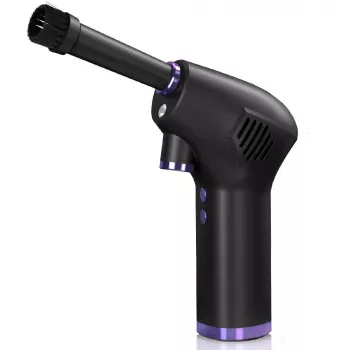
If you want a reusable option for routine dust control, the Powerful Cordless Air Duster is designed for clearing dust from keyboards, PC vents, consoles, and tight household crevices. It fits well into quick maintenance routines where a few minutes of airflow helps reduce buildup between deeper cleanings.
For other home maintenance tasks that pair nicely with a “clean as you go” approach, the 66ft Drain Cleaning Cable is also available in stock for clearing clogs and buildup in drains—helpful when you’re tackling seasonal home upkeep alongside dusting and detailing.
FAQ
Is a cordless air duster safe for cleaning a PC?
Yes when used correctly: power down and unplug first, use short bursts, keep some distance, and hold fans still to prevent overspinning. Aim airflow so dust exits vents rather than being driven deeper into connectors.
Can a cordless air duster replace canned air?
For most routine dusting tasks, yes: it’s reusable and avoids disposable cans. Canned air can still be handy for travel or ultra-compact kits, but performance may vary as the can cools or empties.
How often should keyboards and vents be dusted?
Light maintenance every 1–2 weeks works well for high-use desks or pet homes. Plan a deeper clean monthly or quarterly depending on dust levels, filters, and how quickly vents accumulate buildup.







Leave a comment