Ergonomic Gaming Office Chair Setup for Long Sessions
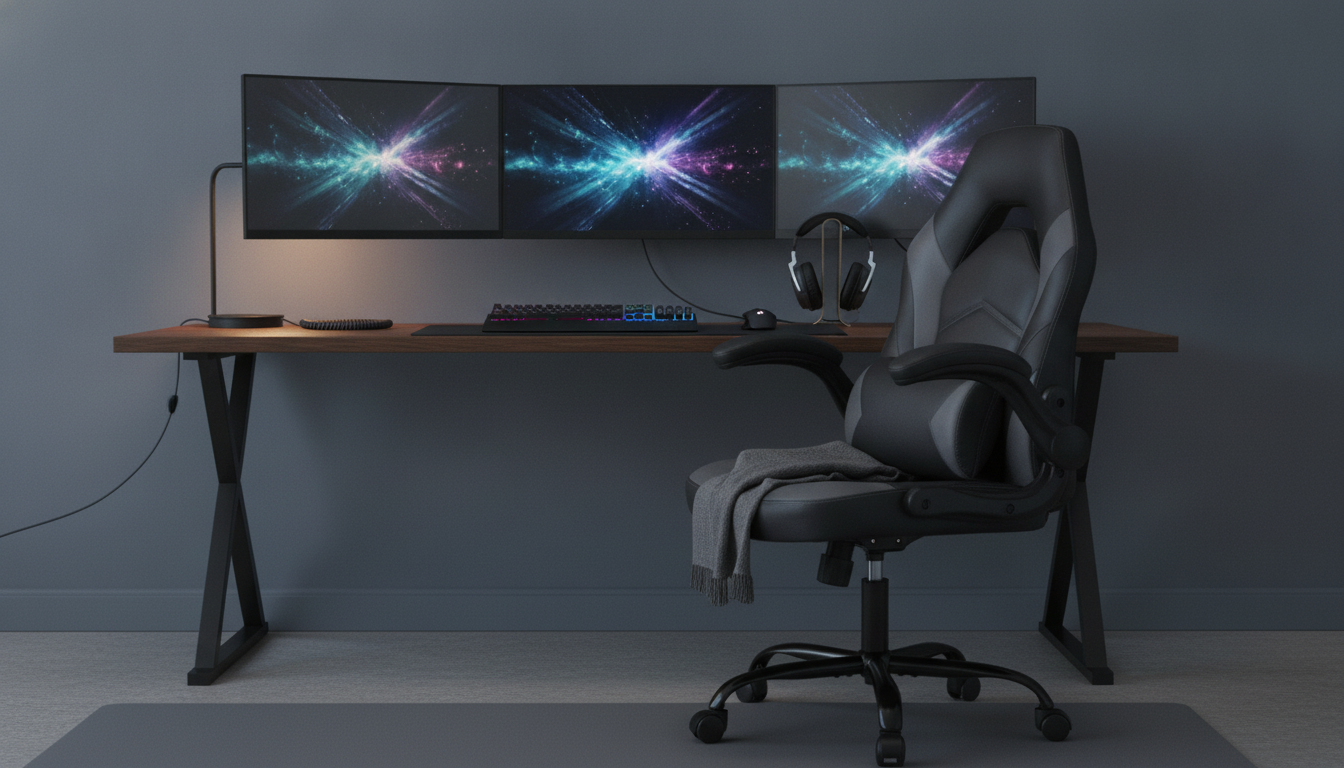
Ergonomic Gaming & Office Chair for Long Sessions: Comfort, Support, and Setup
Long hours at a desk can strain the neck, shoulders, and lower back—especially when posture drifts during focused work or competitive play. A well-designed chair helps keep the spine supported, reduces pressure points, and makes it easier to stay comfortable through extended sessions. Below is a practical breakdown of what matters most, how to set it up, and what to look for before choosing one.
What “ergonomic” should feel like during work and play
Ergonomics isn’t about sitting perfectly still; it’s about creating a supported, repeatable posture that stays comfortable as you shift between tasks. A chair that fits well typically feels like this:
- Stable lower-back support so the pelvis stays neutral rather than tucked under.
- Relaxed shoulders with elbows close to the body to reduce tension in the neck and upper traps.
- Even pressure distribution across the seat to limit numbness and “hot spots” on thighs and tailbone.
- A backrest angle that allows micro-movement, helping prevent stiffness over time.
- Adjustability that matches different body sizes instead of forcing a single posture.
Trusted ergonomics guidance generally agrees: support neutral alignment, reduce sustained strain, and make adjustments easy enough to use daily. For deeper workstation principles, see resources from OSHA’s Computer Workstations eTool and NIOSH.
Key features that make a difference day to day
Small details add up when sessions run long. These features tend to matter most:
- Seat height range: feet should rest flat on the floor with knees roughly level with hips.
- Backrest and recline: a supportive back with a controllable tilt helps shift posture without losing support.
- Armrests: ideally adjustable to keep forearms supported while shoulders remain down and relaxed.
- Seat shape and padding: firm-enough cushioning helps maintain support while reducing pressure points.
- Base and casters: a stable base and smooth-rolling wheels reduce wobble and make repositioning effortless.
When comparing chairs, prioritize the parts you’ll actually use. For many people, seat height + armrest height + an easy recline provide the most noticeable comfort gains over time.
Adjustment guide: a quick setup that reduces strain
A chair can be well-built and still feel “wrong” if it’s not set up for your body and desk height. Run through this sequence and re-check after you’ve been sitting for a bit.
- Set seat height first: sit back fully, place feet flat, and ensure you can slide 2–3 fingers between the seat edge and the back of the knee.
- Position armrests: adjust so elbows sit around a right angle and shoulders stay relaxed; avoid shrugging.
- Use recline intentionally: stay upright for focused work, then shift to a slight recline for short recovery periods.
- Place lumbar support correctly: set it in the curve of the lower back—not on the tailbone.
- Re-check after 20 minutes: small tweaks often matter more than one “perfect” adjustment.
Fast chair setup checklist
| Adjustment | Target position | Common mistake |
|---|---|---|
| Seat height | Feet flat; knees about level with hips | Sitting too high (dangling feet) or too low (knees pushed up) |
| Seat depth/edge clearance | 2–3 finger gap behind knees | Seat pressing into back of legs, causing tingling/numbness |
| Armrests | Elbows near 90°; shoulders relaxed | Armrests too high, forcing shrugged shoulders |
| Backrest recline | Upright for tasks; slight recline for breaks | Locking rigidly upright all day |
| Lumbar support | Centered in lower-back curve | Placed too low, pushing into the pelvis/tailbone |
For a broader workstation check (monitor height, keyboard reach, and sitting posture), Mayo Clinic’s office ergonomics guide is a helpful reference.
Who benefits most from a gaming-style office chair
Gaming-style office chairs often combine a tall backrest, supportive contours, and easy recline—useful for work and play when you’re seated for long blocks.
- Remote and hybrid workers needing comfort through long video calls and focused task blocks.
- Students and creators who alternate between typing, reading, and relaxed viewing positions.
- Gamers who prefer a supportive seat and a backrest that encourages upright posture rather than slouching.
- Multi-device users who need easy repositioning without losing spinal support.
The big advantage is not the “gaming” label—it’s having accessible adjustments that make it easy to maintain support as you shift between activities.
Materials, durability, and maintenance expectations
A budget-friendly option to consider
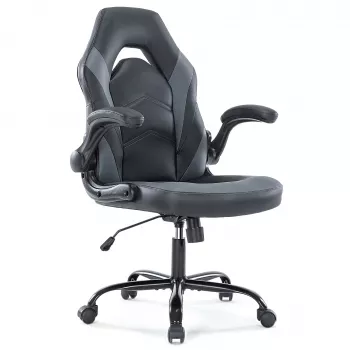
If you want ergonomic basics and everyday adjustability without jumping to premium price tiers, take a look at the Ergonomic Gaming & Office Chair. It’s designed to support long sitting sessions for both desk work and gaming, and it performs best when you dial in the essentials: seat height, armrest position, and a sensible recline pattern.
Comfort tips beyond the chair
Other in-stock finds you might want to bundle
- 66ft Drain Cleaning Cable for tackling clogs and routine maintenance without calling for service.
- Remote Control Manta Ray Shark Toy – 2.4G RC Electric Water Animal for Kids for pool-time fun and gift ideas.
FAQ
Is a gaming-style office chair suitable for all-day office work?
Yes—if it supports neutral posture and offers useful adjustability like seat height, armrests, and recline. Comfort over long hours depends more on fit and setup than on whether it’s labeled “gaming” or “office.”
How do you set the chair height correctly?
Adjust it so your feet are flat on the floor and your knees are about level with your hips. Aim for light clearance behind the knees and avoid dangling feet or an excessive knee bend.
What causes lower-back discomfort when sitting in an ergonomic chair?
Common causes include lumbar support positioned too low or too high, sitting forward away from the backrest, locking the chair rigidly upright all day, or a seat height that tips the pelvis backward.









Leave a comment