30KPa Touchscreen Cordless Vacuum: Clean Smarter Daily
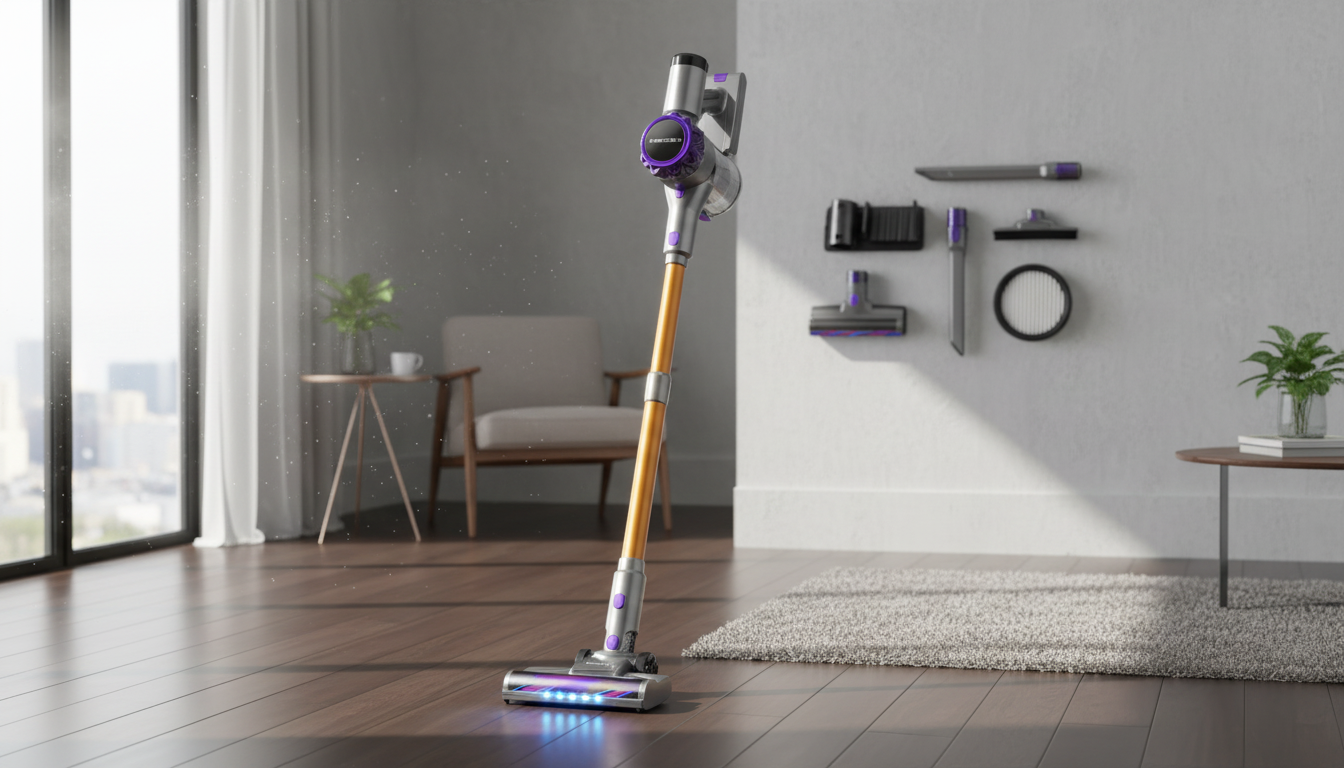
30KPa Cordless Vacuum Cleaner with Touchscreen: Smart Cleaning Power for Floors, Carpets, and Tight Spaces
A cordless stick vacuum with a touchscreen brings two upgrades at once: strong suction for everyday messes and a clear, at-a-glance way to track mode, battery, and maintenance prompts. This guide breaks down what 30KPa suction can handle, how the touchscreen improves day-to-day use, and what to look for so the vacuum fits the way a home is actually cleaned.
What 30KPa suction means in real cleaning
“30KPa” refers to the vacuum’s suction pressure. In day-to-day terms, it’s a level of pulling power that should handle tracked-in dirt, crumbs, and pet hair on hard floors, plus solid pickup on low- to medium-pile rugs when paired with the right motorized floor head.
Suction matters most when debris is stuck where you can’t easily see or reach—down between carpet fibers, embedded grit in rugs, and hair clinging to upholstery. Still, performance isn’t suction alone. Brush roll design, the airflow path (how easily air moves through the wand and bin), filter condition, and how often the bin is emptied can make a noticeable difference.
A practical expectation: higher-power modes usually improve deep pickup, but they reduce runtime. Switching modes by surface (instead of running turbo all the time) is often the simplest way to keep cleaning fast and battery-friendly.
Surface-to-setting cheat sheet
| Surface | Recommended mode | Tool/brush tip | Quick habit that improves results |
|---|---|---|---|
| Hard floors (tile, vinyl, sealed wood) | Low/Standard | Soft roller or standard floor head | Use long passes to capture fine dust; avoid turbo unless debris is heavy |
| Low-pile carpet | Standard | Motorized brush head | Two-direction passes help lift grit from fibers |
| Medium-pile rugs | High/Turbo (as needed) | Motorized brush head | Clear the brush regularly to prevent hair wrap reducing airflow |
| Upholstery | Standard | Mini motorized tool or upholstery nozzle | Short strokes; keep tool flat to maintain seal |
| Corners, baseboards, vents | Standard/High | Crevice tool / dusting brush | Start at edges first so debris doesn’t scatter back onto cleaned areas |
Why a touchscreen can make a cordless vacuum easier to live with
A touchscreen moves key information from “guessing by blinking lights” to quick clarity. Battery remaining, selected mode, and alerts are easier to read at a glance—especially during quick cleans between meetings, school pickup, and dinner.
Mode switching is also simpler. Moving from hard floors to a rug usually calls for a quick bump in power; a screen-based interface makes that change feel more intentional and repeatable. Over time, that reduces the habit of leaving the vacuum in turbo “just in case,” which can shorten runtime and increase noise.
Another benefit is maintenance visibility. Suction often fades gradually when filters load up or airflow is restricted. A display that flags a dirty filter, a full bin, or a blockage can save time and keep performance consistent, rather than troubleshooting by trial-and-error.
Key features that matter more than the headline specs
Two vacuums can share similar suction numbers and still feel very different in a home. The details below are the ones that most often decide whether a cordless vacuum becomes a daily go-to or a back-of-closet backup.
For general indoor air quality guidance, the U.S. Environmental Protection Agency’s resources are a helpful reference: U.S. EPA: Indoor Air Quality. Practical efficiency tips and home energy guidance are also available from ENERGY STAR.
Daily use: quick-clean workflow for a busy home
Care and maintenance that keeps suction strong
Value snapshot: who this model suits best
30KPa Cordless Vacuum Cleaner with Touchscreen (product details)
If the goal is fast, routine pickup across hard floors, rugs, and above-floor areas, the 30KPa Cordless Vacuum Cleaner with Touchscreen pairs strong suction with a display that makes mode changes and maintenance prompts easier to follow. Being cordless helps with room-to-room cleaning without swapping outlets or dragging a cord around furniture.
At-a-glance product info
| Item | Details |
|---|---|
| Product | 30KPa Cordless Vacuum Cleaner with Touchscreen |
| Price | $73.01 USD |
| Availability | In stock |
| Product page | View product |
More in-stock home helpers
- 66ft Drain Cleaning Cable for clogs and slow drains—useful when home maintenance tasks pile up alongside everyday cleaning.
FAQ
Is 30KPa enough suction for pet hair?
It can be, especially on hard floors and low- to medium-pile rugs, but results depend heavily on the brush roll and overall airflow. For best pet-hair pickup, use a motorized brush on rugs/upholstery and keep the brush and filters clean so suction doesn’t drop over time.
What does the touchscreen typically show on a cordless vacuum?
Most touchscreens display battery level or remaining runtime, the selected power mode, and maintenance alerts like blockage or filter reminders. That visibility speeds up troubleshooting and makes it easier to switch modes as you move between floors, rugs, and tight areas.
How often should the filter be cleaned on a cordless vacuum?
A practical range is every 2–4 weeks for average use, and more often in homes with pets, heavy dust, or frequent vacuuming. Clean it whenever it looks visibly dirty, and make sure it dries fully before reinstalling; always follow the specific schedule in the manual.







Leave a comment